You hear that a film is worth watching, open Netflix, type the name, and get nothing. So you search Google and land on ten pages that disagree with each other, half of them written years ago. Working out where a movie is streaming should take about a minute, not an evening. Here is the routine we follow at Movies Reviews Hub before we write a single review, with the free tools that save the most time.
Short answer: search the title on JustWatch with your country selected, then confirm on the platform’s own app. If nothing shows up, the film is usually still in cinemas, or it is sold only as a rental in your country.
1. Start with a streaming search engine
A streaming search engine does the boring part for you. Instead of opening Netflix, then Prime Video, then JioHotstar, you type the title once and see every service that carries it.
JustWatch is the one we use most. You pick your country first, which matters because streaming rights are sold country by country. The results then split into four groups: included with a subscription, free with ads, rent, and buy. You can narrow the list by provider, genre, release year and price.
Two small habits make it far more useful. Tell it once which services you actually pay for, so it hides the rest. And create a free account if you want a watchlist that follows you across your phone and TV. The basic service is free, and a paid Pro tier exists mainly to remove ads and add extra filters.
JustWatch is a directory, not a player. It sends you to the app or site that has the film.
2. Search inside the apps you already pay for
Every app has its own search box, and it only looks through its own catalogue. That is a limit, but it is also the most reliable check, because the app knows exactly what it can play for you today.
Type the full title, then look at the “Coming soon” or “New” rows. Most services let you tap a reminder on upcoming titles. If you are a Netflix subscriber, our Netflix reviews are a quick way to see what is worth your time before you hit play.
3. Use the “where to watch” panel on Google
Type the movie name followed by “where to watch” and Google usually shows a panel with streaming and rental options for your region. It is fast, and good enough for a quick look.
Treat it as a first pass, not the final word. The panel can lag a few days behind a catalogue change, so open the platform link and check that the film actually plays.
4. Check IMDb and Rotten Tomatoes
Both IMDb and Rotten Tomatoes show watch options on a film’s page, usually with links to the services that carry it. The bonus is that you see the scores on the same screen.
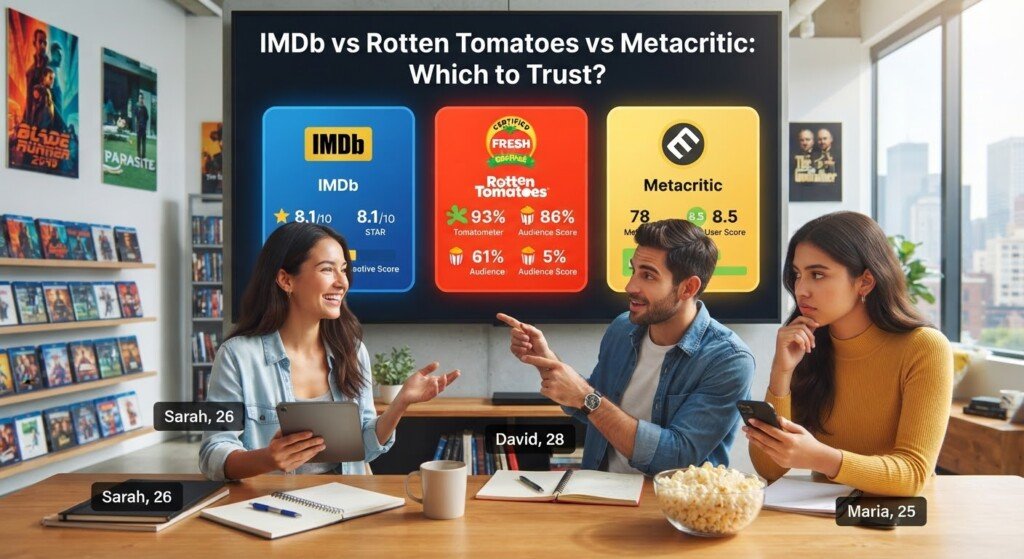
Scores need some care, though. A 90% on one site and a 6.5 on another are not measuring the same thing, and we explain why in our guide to IMDb vs Rotten Tomatoes vs Metacritic.
5. Save it to a watchlist and let the alert do the work
If the film is not streaming yet, do not keep checking every few days. Add it to a watchlist and let the tool tell you when it appears. A free JustWatch account can track a title, and Netflix and Prime Video both let you set reminders on upcoming releases.
This one step replaces most of the searching people do. You find the film once, save it, and move on.
6. Know the usual release order
Films tend to move through the same stages, even though the timing changes from title to title:
- Cinemas.
- Digital rental or purchase.
- Subscription streaming.
- Free with ads, or television.
For a big cinema release, the jump to a streaming service often comes some weeks or a few months later. Some films skip cinemas completely and go straight to a platform. Nothing here is fixed, because each studio signs its own deal.
That is why an “OTT release date” is worth looking up. Studios and platforms usually announce it on their official social pages or with a new trailer. We post those announcements under Movie News as soon as they are confirmed.
7. Search the right title
This catches more people than any other mistake, especially with regional cinema. A film dubbed into Hindi, Tamil or Telugu often carries a different title from the original. A Korean or Spanish film may be listed under its English name on one platform and its original name on another.
If the first search fails, try these in order:
- The original-language title
- The English release title
- The lead actor’s name plus the year
- A different spelling, in case of a typing slip
And if you cannot remember the name at all, our guide on finding a movie you forgot the name of walks through ten methods that work.
Rent, subscribe or wait?
| Option | Cost | Works best when |
|---|---|---|
| Subscription | Monthly fee you may already pay | The film is on a service you have |
| Rent | Small one-time fee, usually a limited viewing window | You want to watch this weekend |
| Buy | Higher one-time fee | You will rewatch it or want it for the family |
| Free with ads | No fee, ads during the film | You are not in a hurry |
Rental windows differ by store. Many give you a set period to start the film and a shorter one to finish it once you press play, so read the note before you pay.
A note on free movie sites
Some sites promise brand-new releases for free. Those are pirated copies. The risks are real: aggressive pop-ups, fake “update” buttons that install unwanted software, and nothing going back to the people who made the film. We do not link to them or recommend them.
Legal free options do exist. Some services carry older films with ads, and official studio channels on YouTube post full movies and clips they own the rights to. Check that the channel is the real owner before you trust it.
Mistakes that waste time and money
- Trusting an old list. Catalogues change every month. A “movies on Netflix” article from last year is mostly out of date.
- Paying before checking the country. Look at your own country’s results before you subscribe to anything for one film.
- Skipping the age rating. If kids are watching, check the rating first. Our explainer on movie age ratings covers the US and Indian systems, and Common Sense Media gives detailed parent notes for individual titles.
- Switching your location to reach another catalogue. Many services forbid it in their terms, and it does not always work anyway.
Frequently asked questions
Is JustWatch free to use?
Yes. Searching, filtering and the basic watchlist are free. A free account is needed for tracking and alerts. A paid Pro version exists, but you do not need it to find where a movie is streaming.
Why does a movie show different platforms in India and the US?
Streaming rights are sold by territory. A studio may give one platform the rights in India and a different one in the US. Your country setting decides which list you see.
How long after cinemas does a movie reach OTT?
There is no single rule. Often it is a matter of weeks to a few months, and some films arrive on a platform on day one. Check the official announcement for the specific title.
Can I check without creating an account?
Yes. You can search on JustWatch, Google, IMDb and Rotten Tomatoes without signing up. An account only adds a synced watchlist and alerts.
Our routine in four steps
- Search the title on JustWatch with your country set.
- Confirm in the platform’s own app.
- If it is not there yet, save it to a watchlist.
- Look for an official OTT release date.
That covers almost every case. When you do find the film, come back and read our movie reviews to see whether it is worth the evening